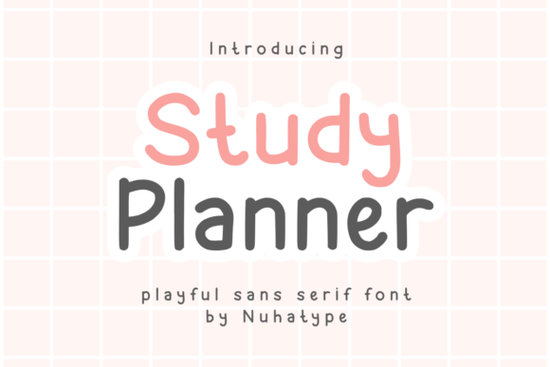
If you're looking for a clean, hand-drawn feel without the inconsistency of actual handwriting, the Studdy Planner Font is a thoughtful choice. It’s a thin sans serif designed to echo the quiet confidence of natural pen strokes light, uncluttered, and easy on the eyes. Unlike bolder display fonts, it doesn’t shout; instead, it supports your message with calm clarity. That makes it especially useful for planners, journal covers, printable stickers, and minimalist product labels places where readability and gentle personality matter more than visual weight.
Who uses Studdy Planner and why?
Crafters building digital planners or printable habit trackers often choose this font because it pairs well with soft color palettes and subtle line art. Print-on-demand sellers appreciate how it scales cleanly across mug mockups and tote bag designs even at small sizes on tags or care labels. Small business owners creating branded stationery or internal KDP journals find it refreshingly legible without feeling corporate. And if you’re cutting vinyl or designing Cricut projects, its open letterforms reduce risk of breakage in delicate cuts.
It’s not meant to dominate a layout. Think of it as the quiet voice that helps your content breathe like the difference between reading a handwritten note and scanning a dense brochure. That subtlety is why it works so well alongside bolder companion fonts (more on that below).
How does it compare to other minimalist sans serifs?
While many thin sans serifs lean cold or technical, Studdy Planner keeps warmth through slight variations in stroke width and gently rounded terminals details borrowed from real pen movement. Compare it to Clinched Font, which has tighter spacing and sharper angles, better suited for modern branding or tech-focused projects. Or Vantura Font, which adds subtle contrast for editorial use but feels slightly more formal.
Kitaro Font shares some of Studdy Planner’s airy rhythm but includes stylistic alternates and ligatures great if you want flexibility across headlines and body text. Meanwhile, Mondy Font offers more weight options, making it easier to build hierarchy in longer layouts. Studdy Planner sits comfortably in the middle: simple enough for quick projects, refined enough for repeat use.
Where does it work best practically speaking?
- Planner pages and digital downloads: Its even spacing and low visual noise help users focus on tasks not the typeface.
- Interior KDP journals: Looks consistent across chapters and page numbers, unlike script fonts that can vary in tone.
- Stickers and labels: Thin lines stay crisp when scaled down to 12–16pt, especially on matte sticker stock.
- Tumblers and mugs: Works well with single-color vinyl cuts or sublimation prints no fine details to blur or bleed.
- Inspirational quotes for social posts: Pairs naturally with neutral backgrounds and light photography no need to overdesign.
One thing to keep in mind: because it’s so light, avoid using it at very small sizes (<10pt) on dark backgrounds or low-resolution screens. For body text in PDF planners, 12–14pt is ideal. For headings, consider pairing it with a slightly bolder sans like Studdy Planner Font’s own bold variant (if included) or a complementary option like Vantura Font.
A note on licensing and usage
The license covers personal and commercial use including POD, Cricut, and Canva projects as long as you’re not reselling the font file itself. You can embed it in PDFs, use it in SVG files for cutting machines, and apply it to physical products you sell. Just double-check the specific license terms on the product page before launching a large batch.
For typography reference, you might also explore how Studdy Planner fits into current trends for “quiet luxury” design think muted tones, ample whitespace, and intentional minimalism.
Try this before your next project
- Open your planner template or product mockup.
- Swap your current heading or subtitle font with Studdy Planner.
- Adjust tracking (+20–40) to give letters a little more room this enhances its handwritten ease.
- Pair it with a neutral sans (like Vantura or Clinched) for body text or captions.
- Print a test page or view on mobile does it feel calm and clear, not fragile or faint?
If yes, you’ve found a reliable, low-maintenance font that supports your ideas instead of competing with them.
Learn More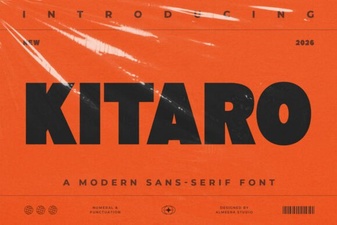 Kitaro Font: Creative Design & Typography Ideas
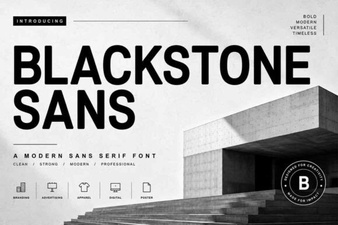 Blackstone Sans: Clean, Versatile Typography for Modern Design
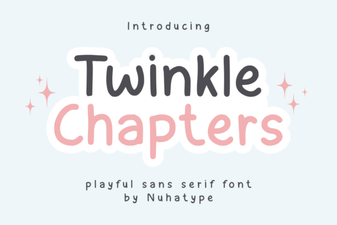 Twinkle Chapter Font: Creative Design Ideas
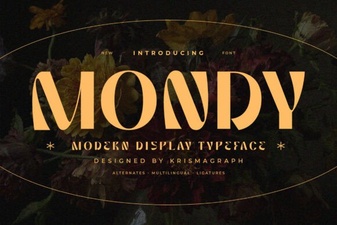 Mondy Font: Elegant & Versatile Design for Creative Projects
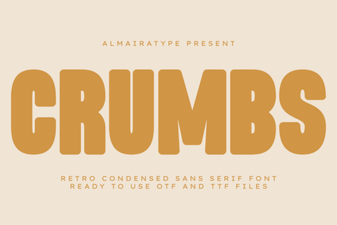 Crumbs Font: Playful & Versatile Design Tool
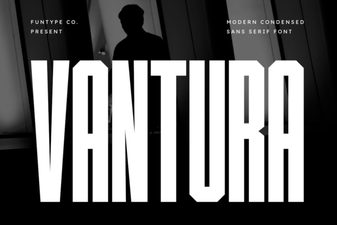 Vantura Font: Creative Design & Versatile Typography