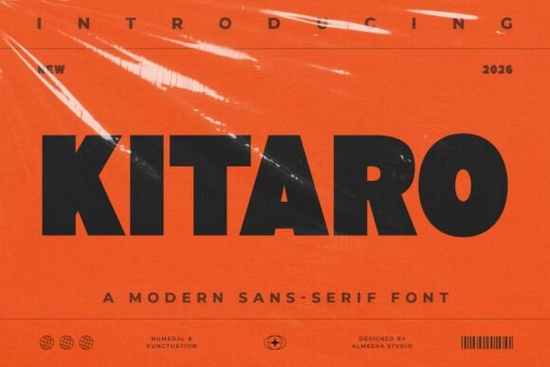
If you're looking for a clean, modern sans-serif font that works just as well on a business card as it does in an Instagram story headline, Kitaro Font is worth your attention. It’s not overly decorative or trendy instead, it leans into strong geometry and balanced proportions to deliver clarity and presence without sacrificing personality. Whether you’re designing a small-batch product label, refreshing your shop’s logo, or putting together a seasonal social media campaign, Kitaro offers reliable readability and visual confidence.
What makes Kitaro different from other display sans-serifs?
Many bold sans-serif fonts sacrifice legibility for impact but Kitaro avoids that trade-off. Its letterforms are sturdy but not heavy, minimalist but not cold. The uppercase “A”, “M”, and “W” have clean angles and consistent stroke contrast, while lowercase letters like “a”, “g”, and “e” retain subtle openness that helps them breathe in tight spaces (think packaging copy or mobile banners). It’s the kind of typeface that feels intentional, not accidental designed for people who care how words look and how they function.
Where does Kitaro work best?
You’ll find Kitaro especially useful in contexts where you need both distinction and professionalism:
- Branding & logos its strong structure holds up at small sizes and scales cleanly across merch, websites, and signage
- Packaging & labels high legibility on curved surfaces or textured materials, thanks to generous counters and open spacing
- Social graphics & digital ads performs well on screens, even with limited rendering control (like in email clients or app interfaces)
- Editorial layouts & posters pairs easily with neutral text fonts for hierarchy without visual competition
It’s not meant to replace your go-to body font but rather to give your key messages weight and consistency. Think of it as the voice that introduces your brand before the rest of the content takes over.
How does it compare to similar fonts on Creative Fabrica?
If you’ve already tried Blackstone Sans, you’ll notice Kitaro has less rounded warmth and more architectural precision. For those drawn to Crumbs, Kitaro trades playful irregularity for tighter rhythm and sharper alignment making it better suited for formal branding or minimal design systems. Compared to Twinkle Chapter, Kitaro skips decorative terminals entirely, focusing instead on confident simplicity. And unlike Natural Story or Clinched, Kitaro doesn’t lean into organic texture or hand-drawn energy it’s deliberately engineered for clarity first.
Practical tips for using Kitaro well
Start simple: try pairing it with a neutral, highly readable sans-serif for body text something like Inter, Open Sans, or even Kitaro Font’s own lighter weights if available. Avoid stacking multiple bold display fonts in one layout Kitaro shines when it’s given room to stand out. On packaging, test how it renders on your actual substrate: matte paper, kraft tags, or metallic foil can all affect perceived weight and contrast.
For crafters and print-on-demand sellers, consider using Kitaro for collection names (“Spring Edit”, “Essentials Line”) or tagline treatments not full paragraphs. Its strength lies in brevity and intention. Small businesses building their first brand kit will appreciate how quickly Kitaro establishes tone: modern but approachable, structured but not stiff.
Who is Kitaro really for?
Designers who value craft over trend. Crafters who want polished results without needing advanced typography knowledge. Print-on-demand sellers who need fonts that convert well on thumbnails and hold up across product mockups. Small business owners building their own assets in Canva or Adobe Express and hobbyists creating greeting cards, stickers, or wall art who want something distinctive but easy to use.
It’s not flashy. It won’t mimic handwriting or add glitter effects. But if you’ve ever spent too long searching for a font that looks sharp in a logo and reads clearly on a tote bag, Kitaro is likely the quiet solution you’ve been overlooking.
Before downloading or licensing:
- Check if the version includes both uppercase and lowercase glyphs (some display fonts skip lowercase)
- Look for OpenType features like ligatures or alternate characters if you plan to use it beyond headlines
- Confirm licensing covers your use case: personal projects, commercial POD, or client work
- Test it in your usual workflow Canva, Illustrator, Silhouette Studio, or Cricut Design Space to make sure file import and spacing behave as expected
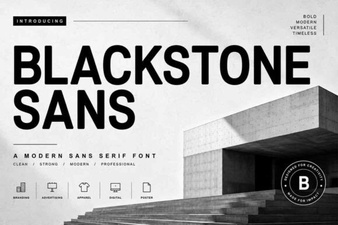 Blackstone Sans: Clean, Versatile Typography for Modern Design
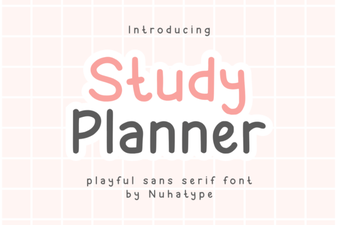 Studdy Planner Font: Creative Study Design Tool
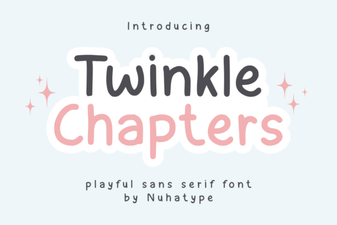 Twinkle Chapter Font: Creative Design Ideas
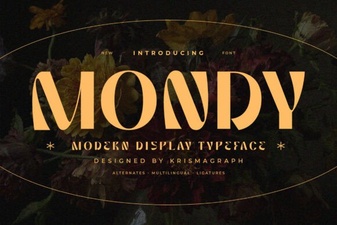 Mondy Font: Elegant & Versatile Design for Creative Projects
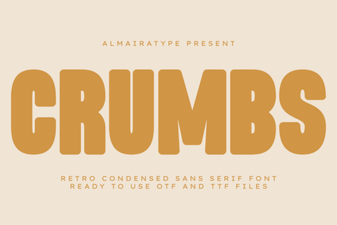 Crumbs Font: Playful & Versatile Design Tool
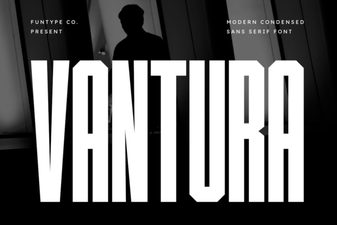 Vantura Font: Creative Design & Versatile Typography