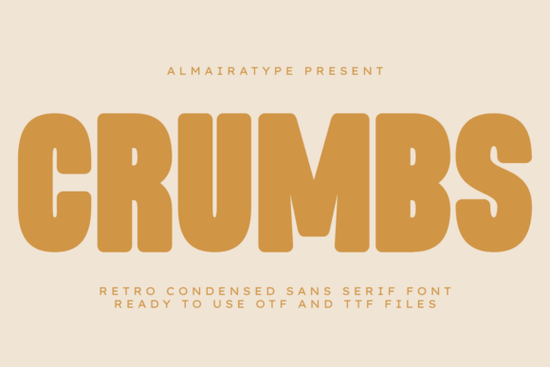
If you're looking for a bold, friendly retro font that works just as well on a bakery sign as it does on a limited-run t-shirt or a Cricut-cut sticker sheet, Crumbs Font is worth your attention. It’s not overly nostalgic it doesn’t try to mimic 1970s signage down to the grain but it carries that warm, confident energy in a clean, modern package. Designed with tight spacing and soft geometric curves, it reads clearly at small sizes and holds its own on large-format prints. Whether you’re building a brand from scratch or refreshing an existing product line, Crumbs fits naturally into real-world design workflows.
What kind of projects does Crumbs work best for?
It shines where personality and legibility need to coexist: food branding (think artisanal cookie shops, coffee roasters, or local bakeries), streetwear labels, greeting cards, social media graphics, and custom apparel. Because it’s a condensed sans serif, it saves space without sacrificing impact helpful when designing for curved mugs, narrow tote bags, or Instagram story text overlays. Print-on-demand sellers especially appreciate how well it scales across different mockups, from Amazon Merch thumbnails to Redbubble product previews.
Many crafters use it with cutting machines like Cricut and Silhouette. Its vector outlines are smooth and consistent, which means cleaner cuts and less time spent weeding vinyl or iron-on transfers. You won’t run into jagged edges or inconsistent stroke weights something that can happen with poorly digitized retro fonts.
How does Crumbs compare to other popular retro-inspired fonts?
Unlike some condensed fonts that feel stiff or overly mechanical, Crumbs balances structure with approachability. Its rounded corners and open letterforms keep it feeling human and inviting not cold or corporate. If you’ve used Twinkle Chapter, you’ll notice Crumbs has more weight and presence, while still keeping that playful spirit. Compared to Vantura, it leans slightly more vintage than futuristic, with warmer proportions and softer terminals. And while Kitaro offers a bolder, almost poster-like impact, Crumbs gives you flexibility across smaller applications like tags, labels, or embroidery digitizing without losing clarity.
For designers who also love whimsical options, Lavender Magic offers a different mood entirely airy, delicate, and script-leaning making Crumbs a great pairing for contrast in multi-font layouts (e.g., Crumbs for headlines, Lavender Magic for subheads or accents).
Is Crumbs compatible with common design and cutting tools?
Yes it comes in OTF and TTF formats, so it installs and works smoothly in Adobe Creative Cloud apps, Canva (via upload), Affinity Designer, and free tools like Inkscape or GIMP. More importantly for makers: it’s optimized for craft cutters. The letters are built with consistent path directions and no overlapping nodes, which helps avoid “cutting errors” or double-cut lines in Silhouette Studio or Cricut Design Space. You can convert it to outlines without worrying about distorted shapes or missing glyphs.
It includes full Latin character sets (A–Z, a–z, numerals, punctuation) plus basic accented characters enough for most English-language POD stores and small business branding needs. No ligatures or stylistic alternates clutter the file, keeping things simple and predictable.
Where can you see Crumbs in action before buying?
You’ll find real user examples on Creative Fabrica’s product page including mockups of t-shirts, enamel pins, stickers, and packaging. Many buyers share their finished projects in reviews, showing how it looks printed on textured paper, heat-pressed onto cotton, or cut from holographic vinyl. That kind of practical feedback matters more than stock previews. You can also test it quickly by downloading a free trial version (if available) or using it in a low-stakes project first like a printable recipe card or a quick Instagram post.
If you’d like to explore similar typefaces, Crumbs Font sits comfortably alongside other well-reviewed retro sans serifs like Twinkle Chapter, Vantura, and Kitaro. Each brings something distinct but Crumbs stands out for its balance of warmth, versatility, and technical reliability.
Before you download or license Crumbs:
- Check if your design software supports OTF/TTF fonts (nearly all do)
- Test it at actual print sizes especially if using it for small items like tags or jar labels
- Try converting to outlines in your cutting software to confirm clean paths
- Pair it with a neutral secondary font (like a simple sans serif or clean serif) for balanced hierarchy
- Save a version of your project with the font embedded or outlined, especially before sending to a printer or POD platform
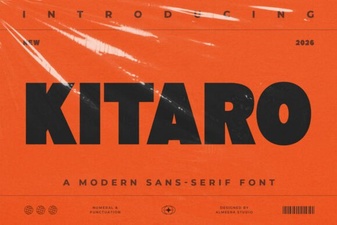 Kitaro Font: Creative Design & Typography Ideas
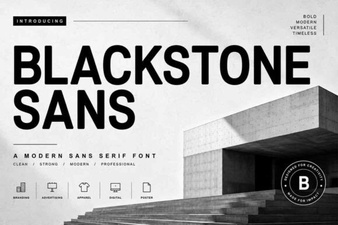 Blackstone Sans: Clean, Versatile Typography for Modern Design
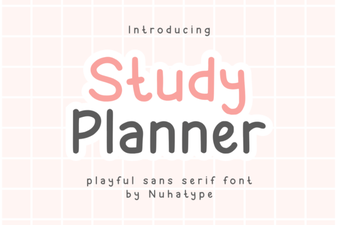 Studdy Planner Font: Creative Study Design Tool
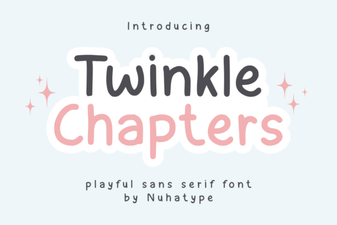 Twinkle Chapter Font: Creative Design Ideas
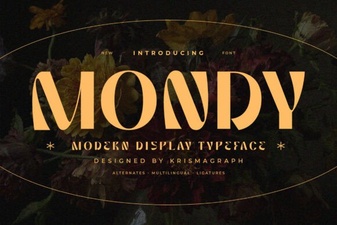 Mondy Font: Elegant & Versatile Design for Creative Projects
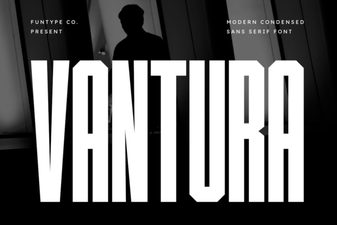 Vantura Font: Creative Design & Versatile Typography