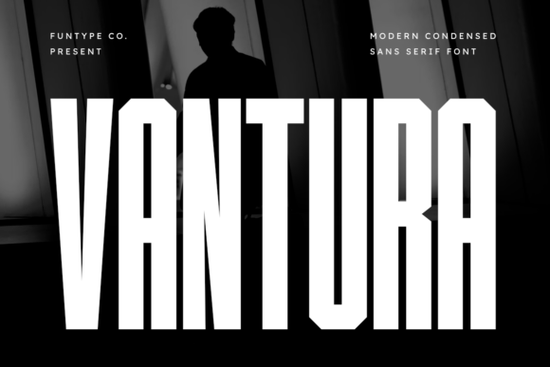
If you're looking for a bold, narrow sans serif font that holds up well on apparel, decals, or event posters especially when space is tight Vantura Font fits the need cleanly. It’s not just narrow; it’s engineered to stay legible and visually commanding at small sizes and across varied materials, from screen-printed t-shirts to vinyl wall graphics. Unlike many condensed fonts that sacrifice clarity for width, Vantura keeps its geometry tight but balanced, with thick strokes and subtle chamfered corners that add quiet precision not gimmicks.
When does Vantura Font work best?
Vantura shines where impact matters more than subtlety: sports team branding, streetwear labels, limited-run merch, and digital posters for live events or pop-up shops. Its ultra-narrow proportions mean you can fit more text in constrained spaces like the sleeve of a jersey or the curved surface of a water bottle without shrinking letter height so much that it fades into the background. Because it’s built with clean vector outlines and consistent stroke weight, it scales smoothly from 12 pt on a business card to 120 pt on a banner.
It’s also practical for print-on-demand sellers. The OTF and TTF files install easily in Adobe Illustrator, Affinity Designer, Cricut Design Space, and most fabric printing platforms no rendering hiccups, no missing glyphs. You get standard Latin characters, numerals, and basic punctuation, all optimized for crisp output on both screen and physical media.
How does it compare to other modern condensed fonts?
Not all narrow sans serifs behave the same way. Some feel cramped or uneven at larger sizes; others lose structure when scaled down. Vantura avoids those pitfalls by prioritizing vertical rhythm and even spacing. If you’ve tried Kitaro Font and liked its clean minimalism but needed something bolder and taller, Vantura fills that gap. For designers who lean into industrial or urban aesthetics, it pairs naturally with typefaces like Mondy Font (for contrast in body copy) or Crumbs Font (for playful secondary text). And while Blackstone Sans offers strong geometric reliability, Vantura adds a sharper, more architectural presence ideal when your design needs to feel grounded and intentional.
You’ll also notice Vantura doesn’t rely on stylistic flourishes to stand out. There are no exaggerated terminals or decorative cuts just confident, functional form. That makes it easier to pair with photography, icons, or textured backgrounds without competing for attention.
What kind of projects is it not ideal for?
Vantura isn’t meant for long paragraphs, email newsletters, or interface UI text. Its density and narrowness reduce readability in extended reading. Likewise, if your brand voice leans soft, whimsical, or handwritten think café menus or wedding invites it’ll feel out of place. For those contexts, a lighter, more open option like Twinkle Chapter Font might suit better.
Also keep in mind: because Vantura is highly stylized, it benefits from thoughtful pairing. Try setting it alongside a neutral sans serif (like Inter or Montserrat) for supporting text or use it solo with strong negative space and simple layouts. Overcrowding the composition tends to dull its strength.
Where to use it right now
Here are three real-world uses that work straight out of the box:
- T-shirt front prints: Works especially well on black or navy fabric its thick strokes hold contrast without bleeding or pixelation.
- Vinyl decals for laptops, skateboards, or storefront windows: The chamfered corners prevent sharp points from lifting during application or wear.
- Digital event posters (Instagram, Bandcamp, Eventbrite): Stands out in feeds without needing extra effects or outlines.
If you want to see how it performs across different weights or language support, you can preview Vantura Font directly on Creative Fabrica. It’s listed alongside similar high-utility sans serifs, so you can compare side-by-side before downloading.
Before finalizing a design, test Vantura at your intended size and on your target material even a quick print on plain paper helps spot spacing issues or awkward letter combinations (like “rn” or “ll”, which can blur together in tight condensers). And always check licensing: this version covers personal and commercial use, including POD, but doesn’t extend to resale as part of a font bundle or SaaS platform.
Quick checklist before using Vantura Font:
- ✅ Confirm file format compatibility with your software (OTF/TTF both included).
- ✅ Test at actual output size especially on dark or textured backgrounds.
- ✅ Pair with a simpler, more open font for any supporting text.
- ✅ Avoid stretching or skewing the font it’s designed to be used upright and at native width.
- ✅ Review the license terms for your specific use case (e.g., client work vs. your own shop).
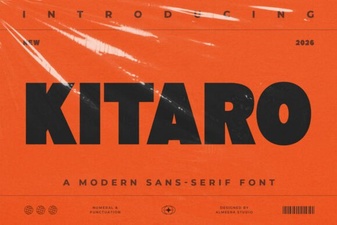 Kitaro Font: Creative Design & Typography Ideas
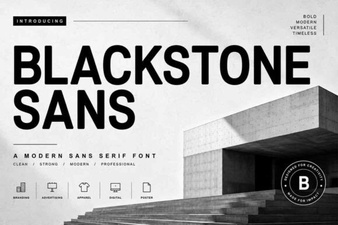 Blackstone Sans: Clean, Versatile Typography for Modern Design
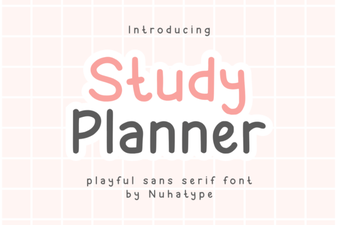 Studdy Planner Font: Creative Study Design Tool
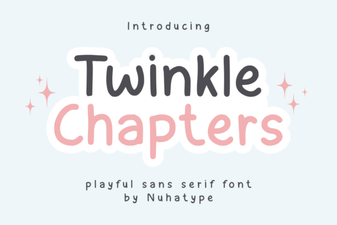 Twinkle Chapter Font: Creative Design Ideas
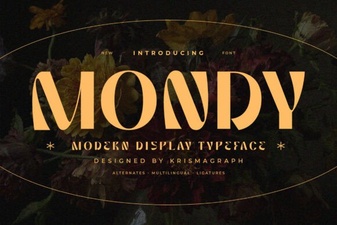 Mondy Font: Elegant & Versatile Design for Creative Projects
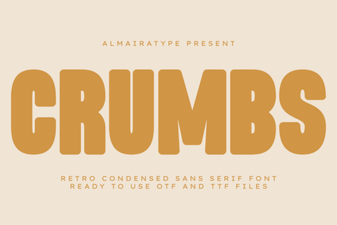 Crumbs Font: Playful & Versatile Design Tool